Dictation Transcription
Convert spoken dictations into written text instantly and accurately. 98.5% accuracy.
Trusted by 100k+ Users and Teams of All Sizes










Features
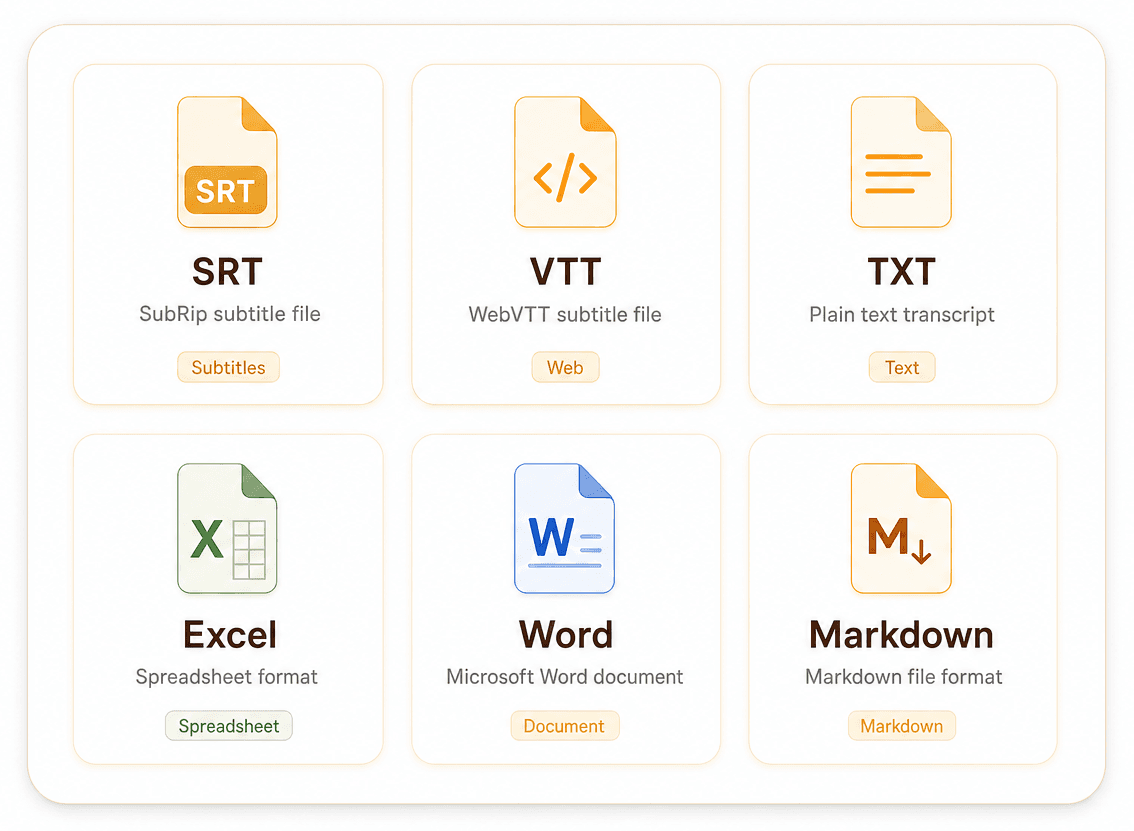
Multiple Export Formats
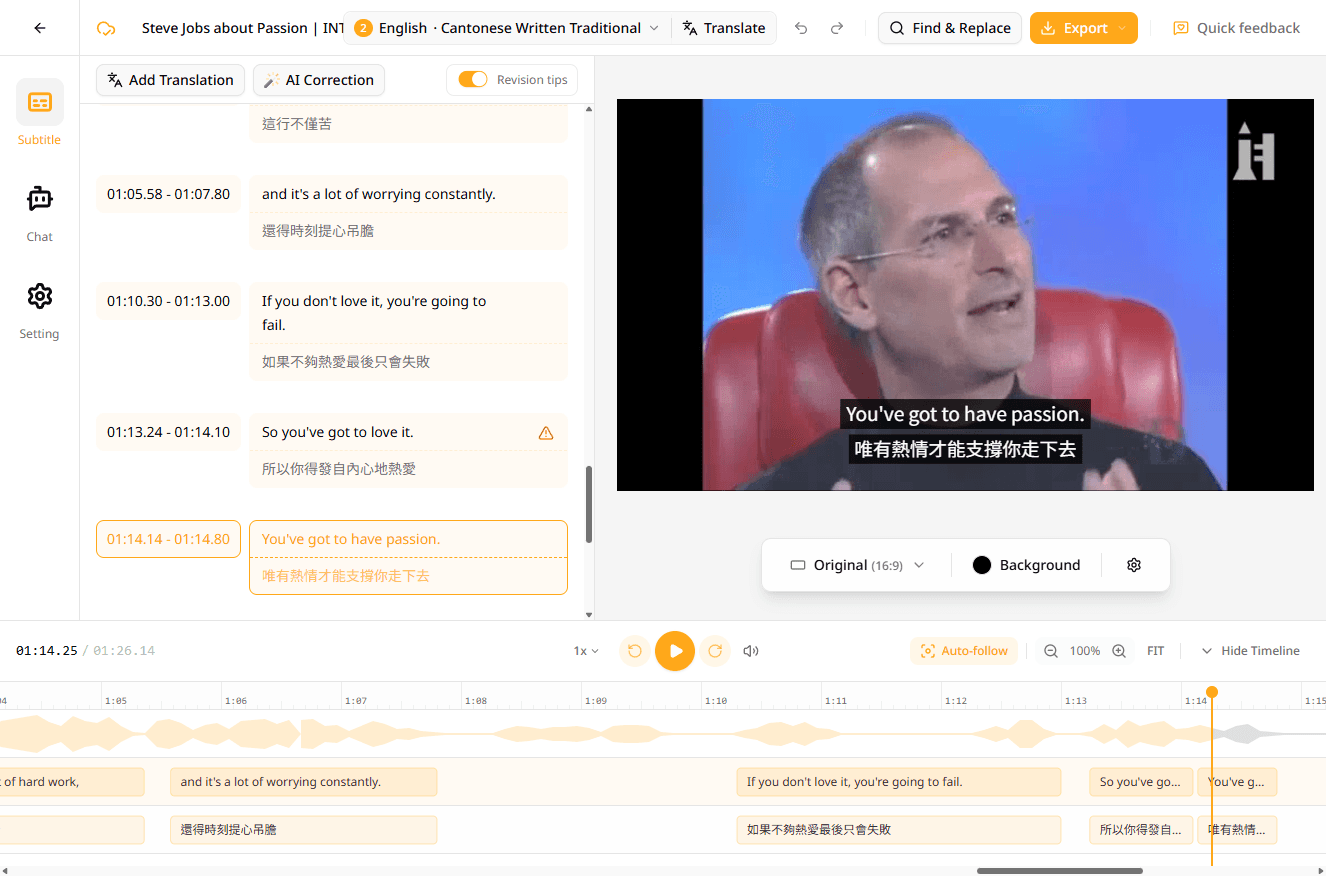
Export to SRT, VTT, TXT, Word, Excel, or Markdown in a few clicks. Whether you need video subtitles or interview and meeting transcripts, the right format is always one tap away.
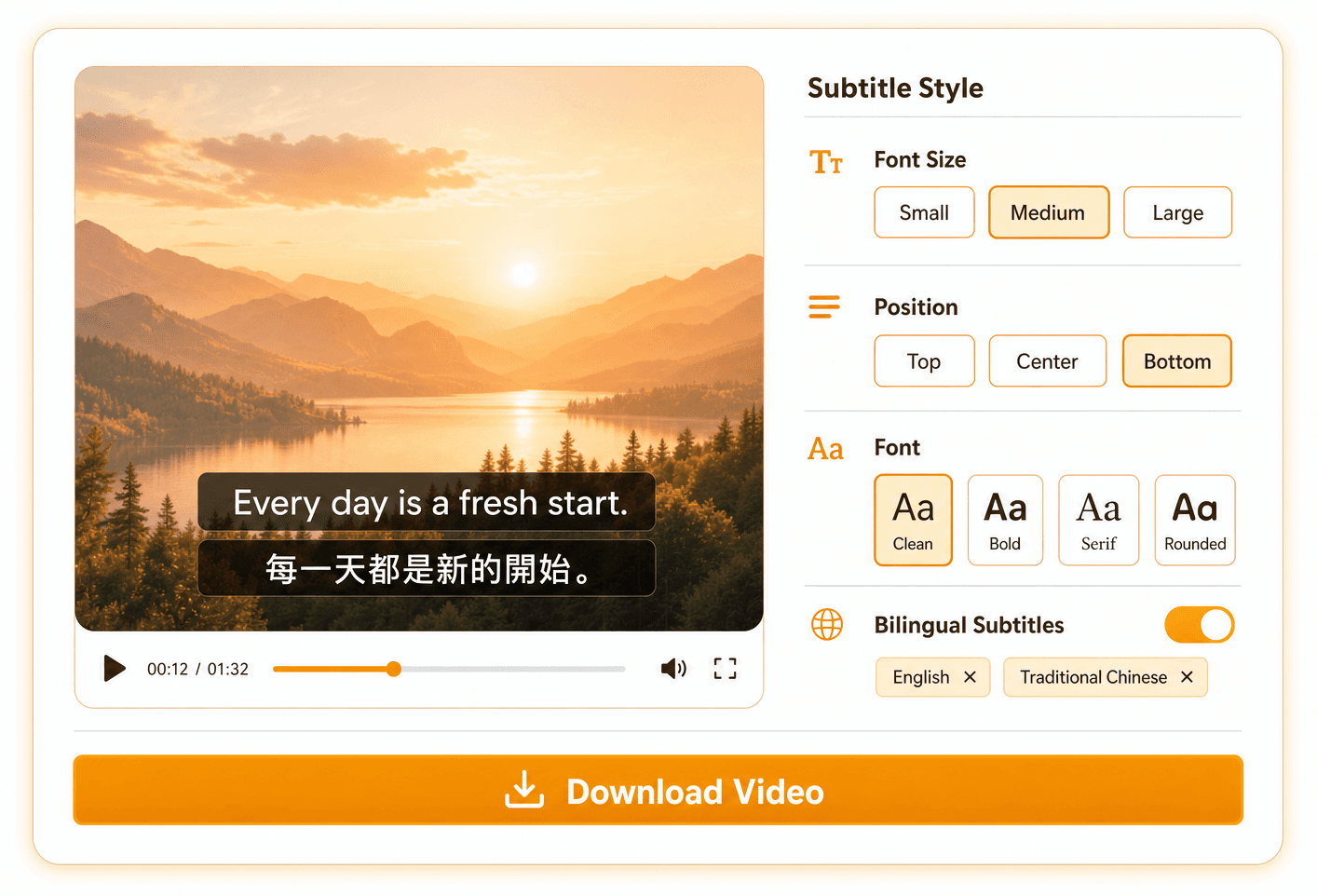
Burn Subtitles into Video
Customize font, size, and position, toggle bilingual subtitles on or off, and download the video with subtitles burned in — no external editor needed.
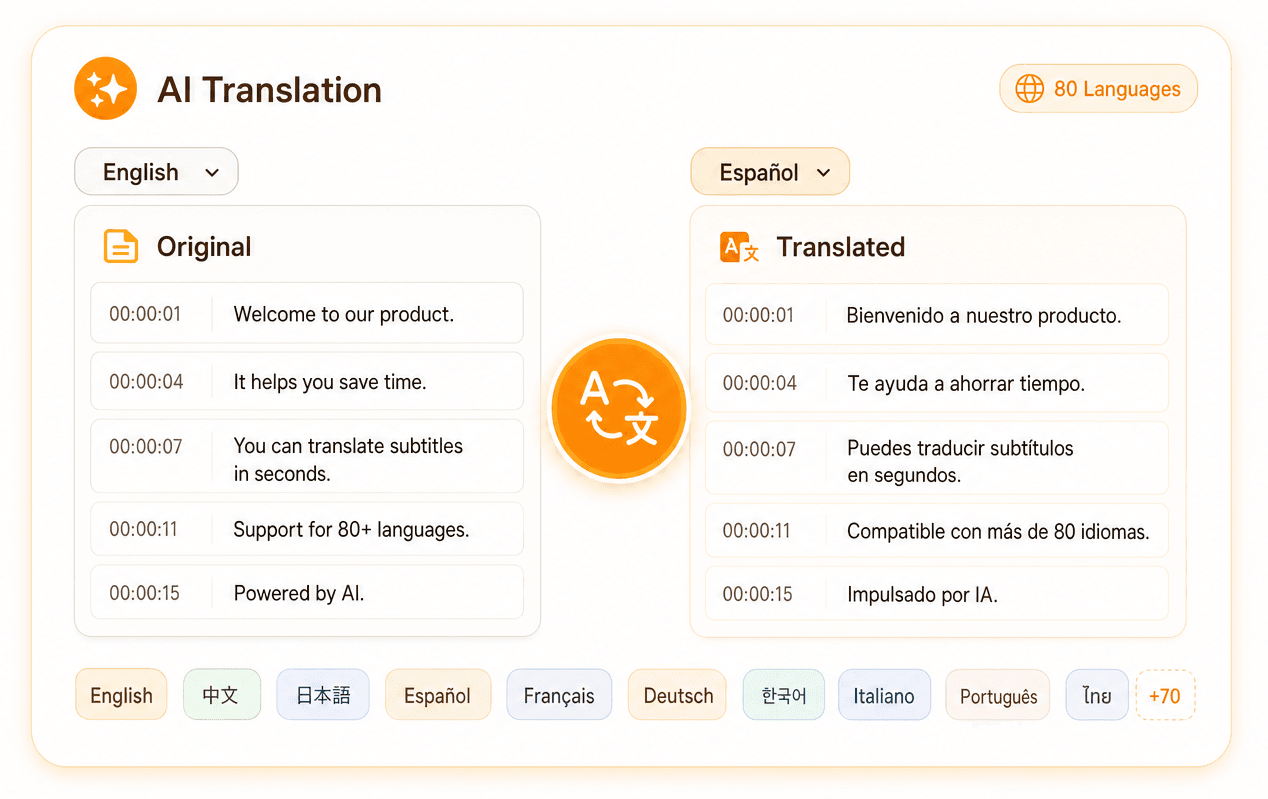
Translate into 80+ Languages
Translate transcripts into 80+ languages with AI you can trust. We benchmark the latest models every week and route your content through the best one.
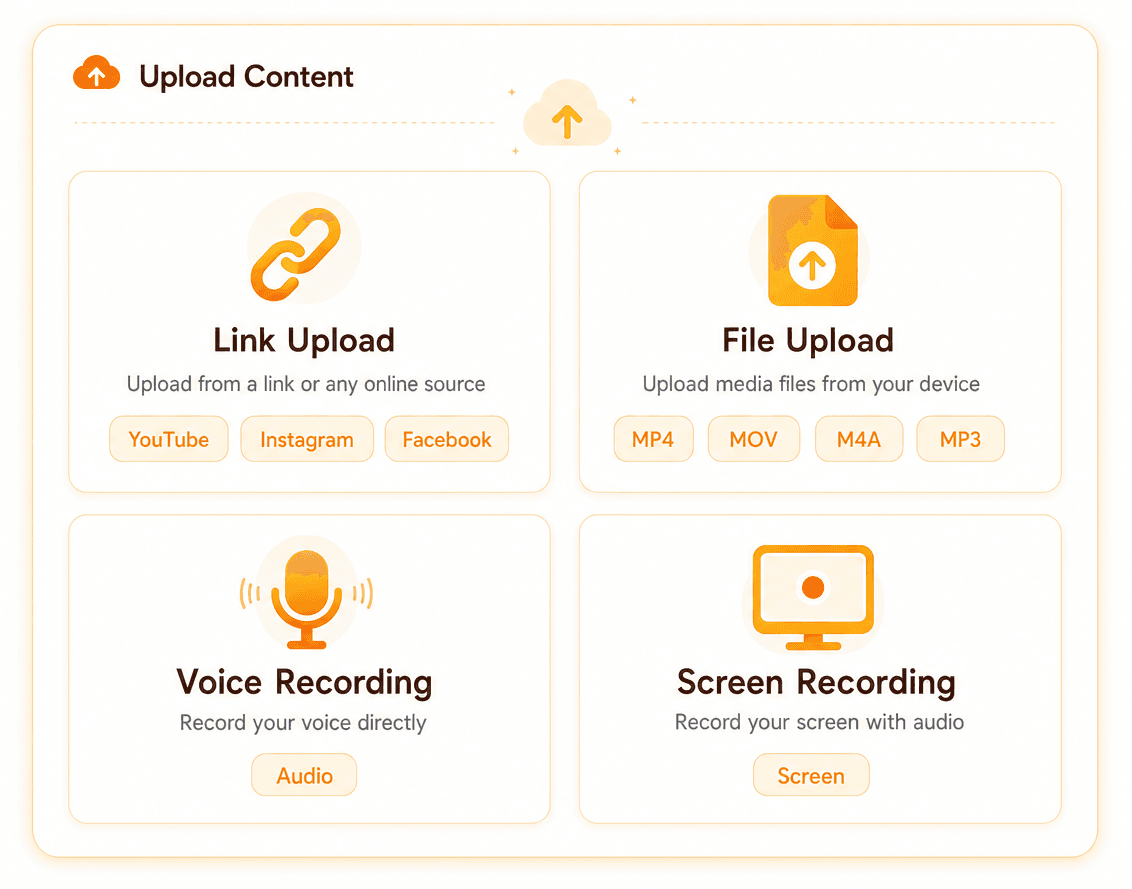
Multiple Input Sources
Paste a YouTube, Instagram, or Facebook link, drop in an MP4/MOV/M4A/MP3 file, or record voice or screen directly in the browser.
Steps to Generate Subtitle
Add Your Content
Paste a link, upload a file, or record voice or screen directly in your browser.
Generate Subtitles
Hit transcribe and our AI returns timestamped subtitles in seconds.
Edit & Translate
Polish the text in our editor and add tracks in 80+ languages with one click.
Export Subtitles or Video
Download subtitles in any format, or export the video with subtitles burned in.
Perfect For
Our AI subtitling solution helps content creators across various industries
Best Dictation Transcription Software powered by AI in 2025
Understanding Dictation Transcription: A Comprehensive Guide for Content Creators In the digital age, the demand for efficient and accurate transcription services has surged, largely driven by the proliferation of multimedia content and the need for accessibility. Among the various transcription methods, dictation transcription stands out as a powerful tool for content creators. This article delves into the intricacies of dictation transcription, highlighting its benefits, challenges, and practical applications for those looking to enhance their content creation process. What is Dictation Transcription? Dictation transcription refers to the process of converting spoken words into written text. This method typically involves the speaker articulating their thoughts verbally, which are then transcribed into text by a human or an automated system. This technique is invaluable for content creators who wish to streamline their workflow, as it allows for the efficient documentation of ideas, interviews, and other spoken content. Benefits of Dictation Transcription 1. Time Efficiency: One of the primary advantages of dictation transcription is the significant time savings it offers. Speaking is generally faster than typing, allowing content creators to rapidly convert their ideas into text. This efficiency is particularly beneficial in fast-paced environments where time is of the essence. 2. Improved Accessibility: Transcription makes content more accessible to a broader audience, including individuals with hearing impairments. By providing written versions of audio or video content, creators can ensure inclusivity and compliance with accessibility standards. 3. Enhanced Productivity: By freeing creators from the keyboard, dictation transcription enables multitasking and enhances productivity. Creators can focus on generating ideas and content while the transcription process occurs in real time. 4. Accurate Record Keeping: Dictation transcription provides an accurate and permanent record of spoken content. This is especially useful for interviews, meetings, and brainstorming sessions, where capturing every detail is crucial. Challenges of Dictation Transcription While dictation transcription offers numerous benefits, it is not without its challenges: 1. Accuracy Concerns: Automated transcription tools, while improving, can still struggle with accuracy, particularly when faced with accents, jargon, or poor audio quality. Human transcriptionists may offer greater accuracy but at a higher cost and longer turnaround time. 2. Privacy and Security: Transcription processes, especially those involving sensitive information, must prioritize privacy and data security. Ensuring that transcription tools comply with relevant privacy regulations is essential for protecting both the content and the speaker. 3. Technology Limitations: Not all transcription software is created equal. The effectiveness of dictation transcription can vary based on the technology used, necessitating careful evaluation and selection of transcription tools. Best Practices for Using Dictation Transcription To maximize the benefits of dictation transcription, content creators should consider the following best practices: 1. Choose the Right Tool: Evaluate transcription software based on accuracy, ease of use, and security features. Consider tools that offer both automated and human-assisted transcription options to suit different needs. 2. Ensure High-Quality Audio: Clear audio is critical for accurate transcription. Use high-quality recording equipment and minimize background noise to improve transcription accuracy. 3. Edit and Proofread: Even the best transcription tools can make errors. Always review and edit transcriptions for accuracy and clarity before publishing or using the content. 4. Maintain Security: When handling sensitive content, ensure that your transcription process adheres to data protection standards. Use encrypted services and secure data storage solutions to safeguard information. Practical Applications of Dictation Transcription for Content Creators Dictation transcription can be applied in various contexts, enhancing the content creation process: - Podcasting: Transcribe episodes to create show notes, enhance SEO, and provide accessible content to those who prefer reading over listening. - Video Content: Generate subtitles and transcripts for videos to improve accessibility and engagement across different platforms. - Blogging: Use dictation transcription to quickly convert spoken ideas into written blog posts, maintaining a conversational tone while accelerating content production. - Research and Interviews: Transcribe interviews and research discussions to ensure accurate data collection and facilitate the analysis process. Conclusion Dictation transcription is a transformative tool for content creators, offering efficiency, accessibility, and productivity enhancements. By understanding its benefits and challenges and implementing best practices, creators can leverage dictation transcription to optimize their workflows and reach a wider audience. As technology continues to evolve, the capabilities of dictation transcription will undoubtedly expand, providing even more opportunities for innovation in content creation.