
Blog
Latest Articles
Guides on subtitling, transcription and live captions, written by the people building them.
Guides on subtitling, transcription and live captions, written by the people building them.
Stop retyping what was said.

Subanana now pays you to share it. Your friend gets 30% off, you earn 20% of what they spend (up to $50 per referral), and rewards are real cash you withdraw through Cello — here's exactly how it works and how to start.
To transcribe a video to text, import the file or paste a public video link, run it through transcript mode, proofread the result in the editor, and export it as DOCX, TXT, or another text format. This guide walks through each step, and explains when you want a readable transcript versus an SRT subtitle file — two different outputs that people often confuse.
A practical guide to turning any video — an uploaded file, a YouTube link, or a recorded call — into a clean, editable text transcript. Covers the transcript-versus-subtitles decision, the upload-to-export workflow, and which format to pick for notes, articles, or captions.
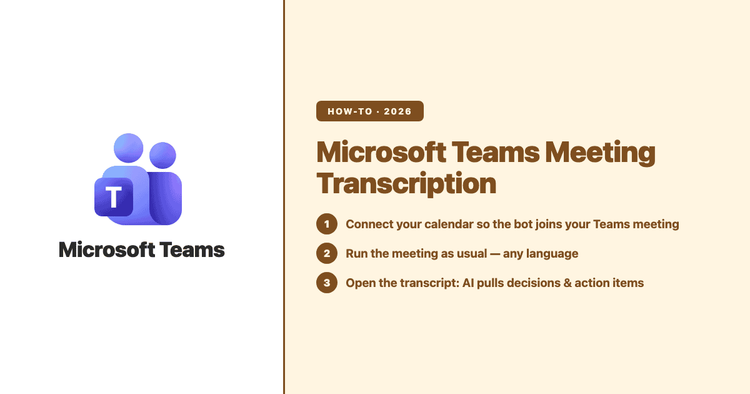
Microsoft Teams can transcribe your meetings in 44 languages, but turning that raw transcript into a usable record — decisions, action items, owners — often runs into an admin setting or a paid add-on. Here is exactly what Teams transcription does, where the two licensing walls are, and when it is worth using Subanana to get a clean transcript plus a structured summary instead.
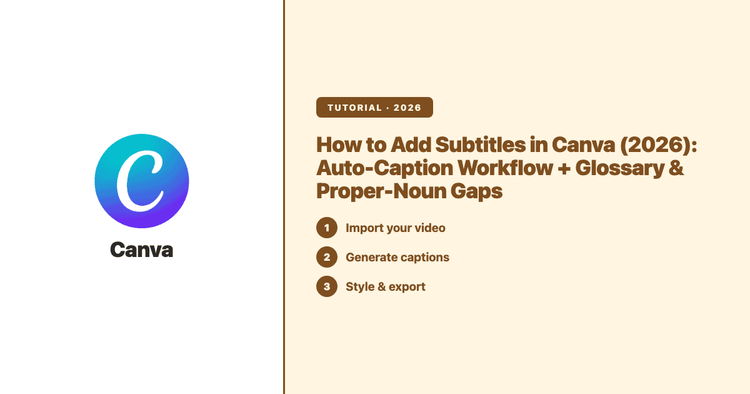
Canva generates captions from your video audio for free, drops them in as an editable timeline layer, and publishes a list of 57 languages its caption recognition covers. This guide gives you the exact click path, the language and style controls, the troubleshooting Canva documents, and where a dedicated subtitle tool earns its place in the workflow.
AI transcription pricing runs about $0.08 to $0.30 per minute of audio — about $4.50 to $18 an hour — once you convert a subscription into what it actually costs per hour. But comparing sticker prices is the wrong move, because the four common pricing models each meter something different. Here's how to price out any tool, including our own, in the unit that actually matters.
Learn how to add subtitles in Premiere Pro with our step-by-step guide, perfect for enhancing viewer engagement. Discover methods for adding subtitles in Adobe Premiere Pro, ensuring your videos are accessible and reach a broader audience. Start mastering Premiere Pro subtitling today and transform your content's impact!
Final Cut Pro 12.3 added on-device Generate Captions in June 2026 — but Apple's documentation supports English-language audio only. This walks the native Final Cut Pro caption workflow (including the new English STT), where it falls short for Cantonese, Mandarin, Japanese, and mixed-language video, and the AI-generated SRT method that fills that gap.
After Effects has no built-in speech-to-text and no native SRT import. This guide covers the four real workflows for adding subtitles in AE 26, ranked by setup time and total cost, and shows where each one breaks.
Vendor accuracy benchmarks are mostly marketing. Here's how we test transcription and subtitle models against real mixed-language, accented, multi-speaker speech — the methodology, the numbers from our own run, and what the published WER scores never tell you.
The fastest way to repurpose a video or podcast into a blog post, newsletter, or show notes is to start from an accurate transcript and edit down from there. This guide walks through the transcript-first repurposing workflow — capture, outline, rewrite — and shows how to produce a clean, quotable transcript with Subanana's transcript mode so the raw material is something you can actually reuse.
Captions make your stream watchable with the sound off and open it to viewers who don't share your language. Here's how live captions work on Twitch, YouTube Live and OBS — the built-in options, their limits, and how to add an accurate, translated caption track when you need one.