
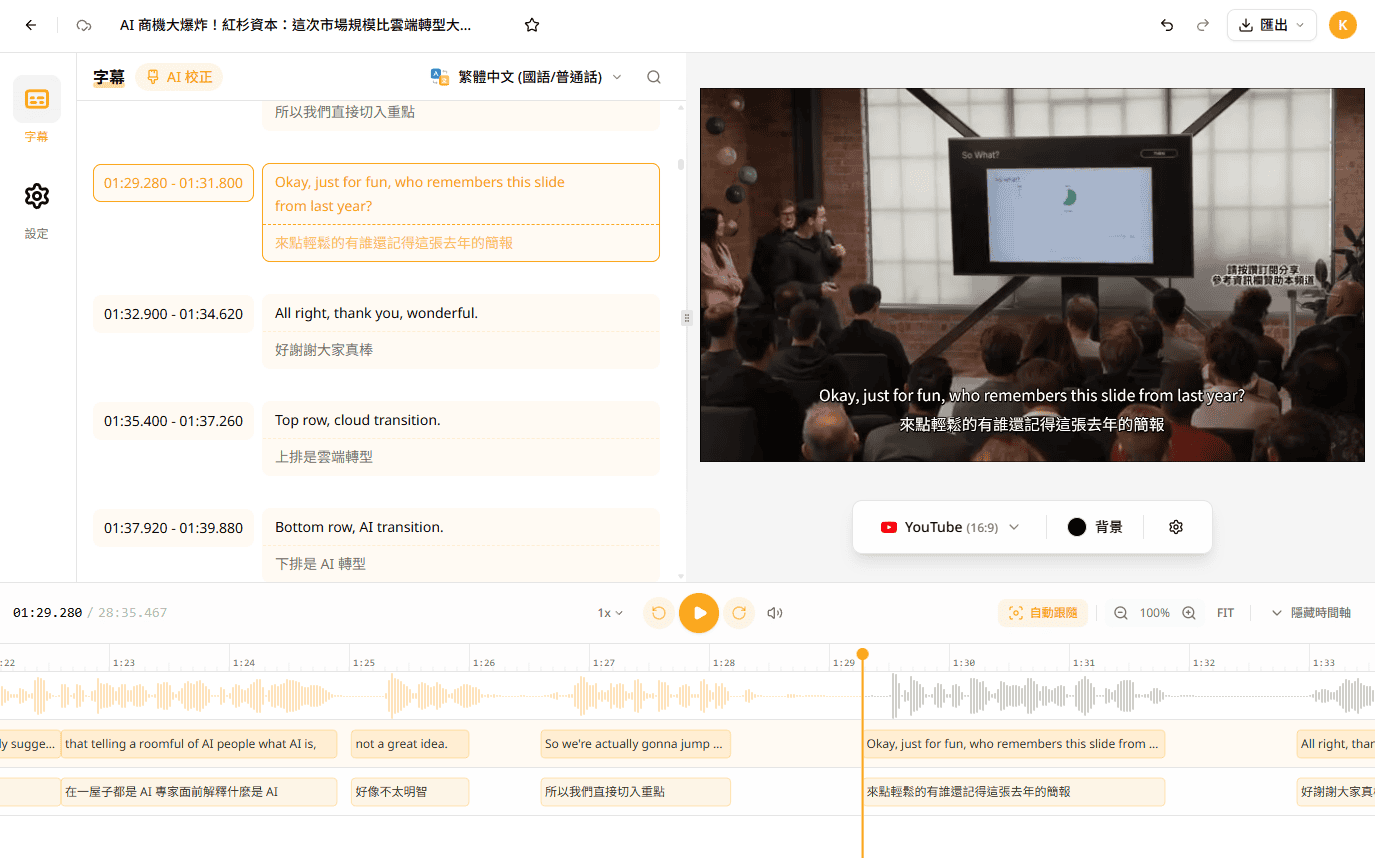
We have spent months completely rebuilding the entire app architecture, addressing previous pain points in your workflow and introducing a brand new user interface.
--------------------------------------------------------------------------
Brand New Workspace
We've redesigned the most commonly used interface to make operations more intuitive:
- Subtitle Editor: Bilingual subtitles, basic video editing, and video export preview are finally integrated into a single workspace, making editing smoother.
- Meeting Editor: Features a dual-column layout with AI highlights on the left and transcript on the right—no more frequent page switching. Added an AI note template library:
- Extensive Preset Templates: No need to rack your brain writing prompts—choose from a variety of built-in summary formats.
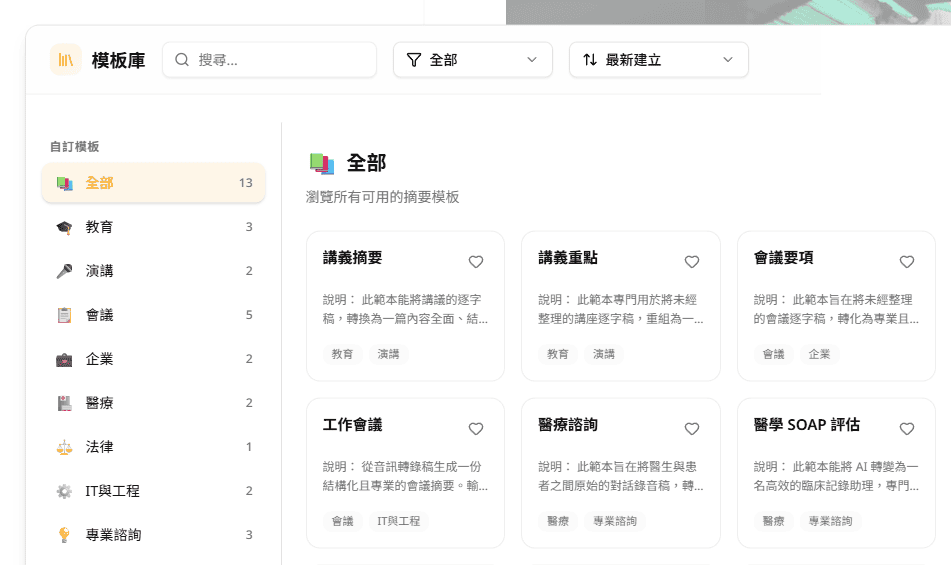
- Custom Templates: Just provide a document sample and AI will mimic the tone and format to generate content.
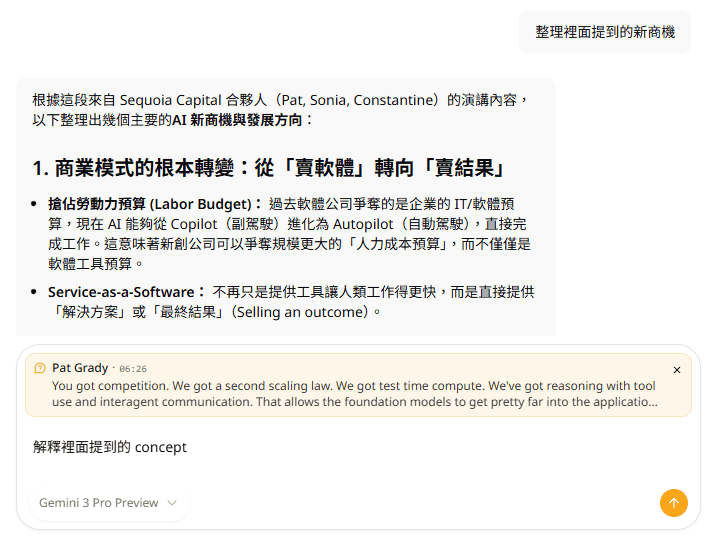
- Smarter Ask AI: Improved Q&A experience—want to know "Who mentioned the budget in the meeting?" Just ask AI for more accurate answers.
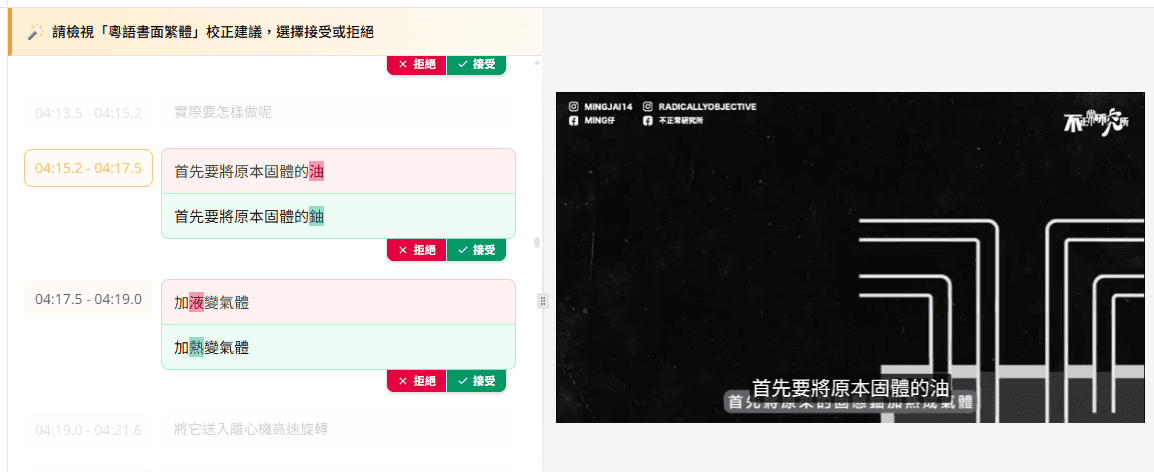
- AI Spell Check: Enhanced automatic typo detection and correction—easily review and apply fixes.
- Operate with Confidence: Supports Undo/Redo, so you can easily revert mistakes.
Faster and More Stable
- We've updated the underlying architecture to reduce loading times and errors.
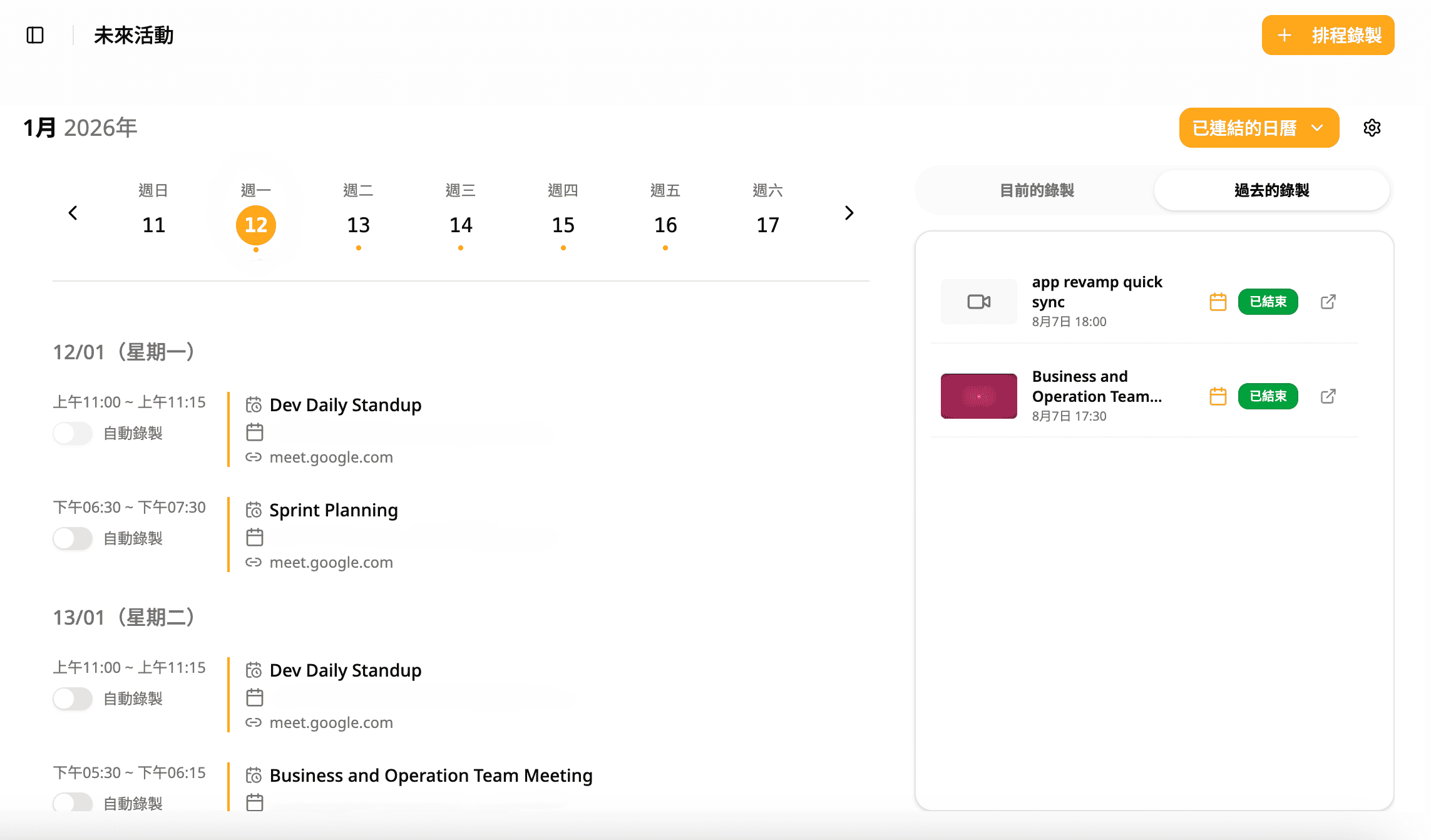
Clearer Calendar Meeting Management
- The new page better integrates your calendar. You can manage all meeting recordings and transcription settings here.
--------------------------------------------------------------------------
🔮 Coming Soon: Faster Iteration and New Features
This update will greatly accelerate our pace of developing new features. In the coming quarters, we will be rolling out:
- More Flexible Plans: Updated pricing and plan options to better match your actual usage.
- AI Smart Line Breaks: No more manual adjustments! Customize characters per line—AI will automatically analyze tone and grammar to re-break lines.
- AI Agent Assistant: More than just "recording"—AI will proactively help you complete tasks (such as sending follow-up emails, syncing Notion or Slack project updates).
- Seamless Sharing & Collaboration: Easily share folders, meeting notes, and video subtitles with your team or external clients for collaborative work.
--------------------------------------------------------------------------
We can't wait for you to experience the all-new Subanana.
If you have any questions about this update, feel free to reply to this email and contact us.
Try Subanana freeNo card required.