
TL;DR
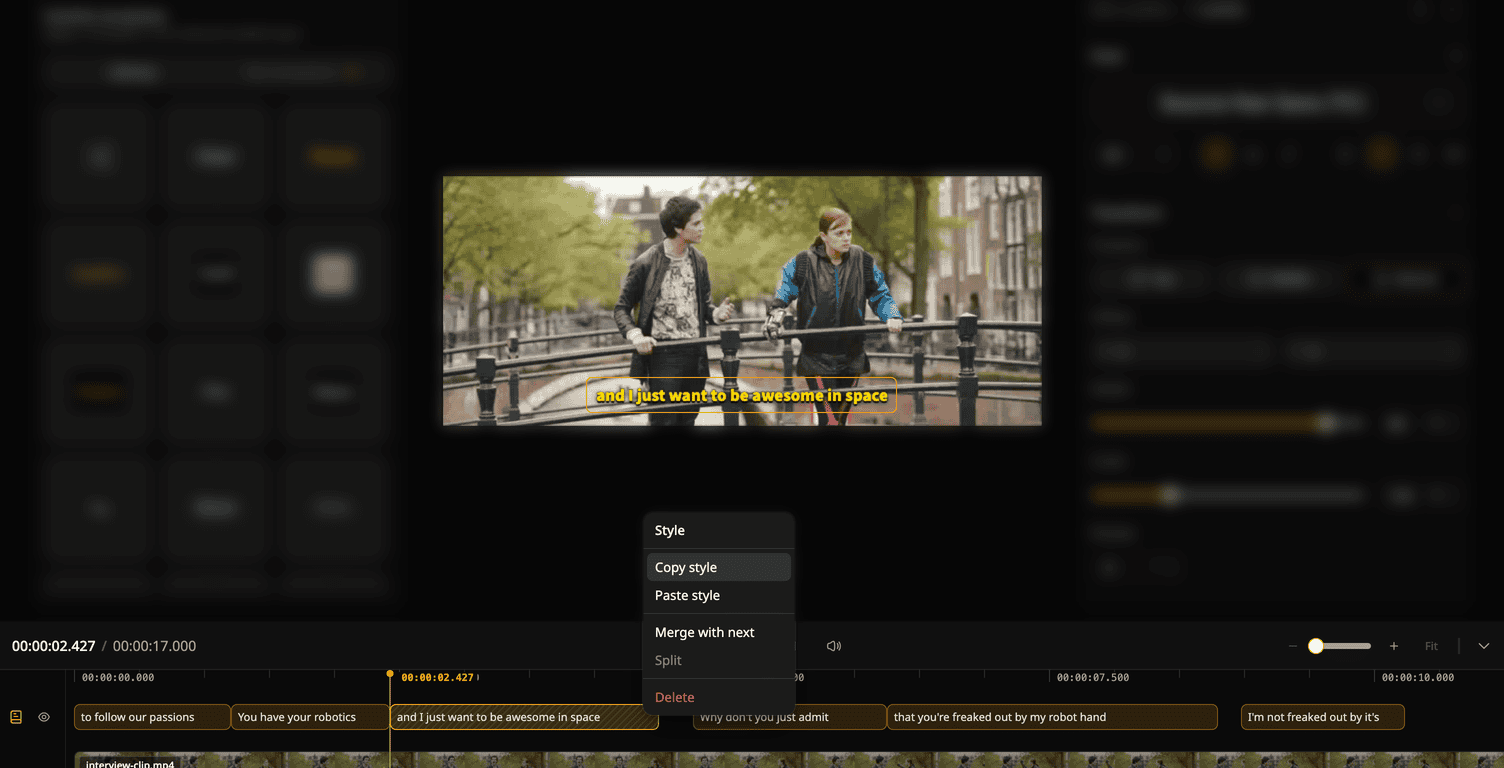
- Style one subtitle, then give others the same look. No need to set the font and color again on each one.
- Paste onto one subtitle or a whole selection at once.
How it works
- Open a project in Design mode. Right-click a subtitle on the timeline and pick Copy style.
- Right-click another subtitle and pick Paste style. To change several at once, select them first, then right-click one of them.
Good to know
- A style pastes onto the same kind of track only: main to main, translation to translation.
- One undo brings back the old look, even for a whole selection.
To try it: open a project in Design mode and right-click a subtitle on the timeline.
Cover video: Tears of Steel, (CC) Blender Foundation | mango.blender.org
Try Subanana freeNo card required.