
TL;DR
- Final Cut Pro (.fcpxml) export is back.
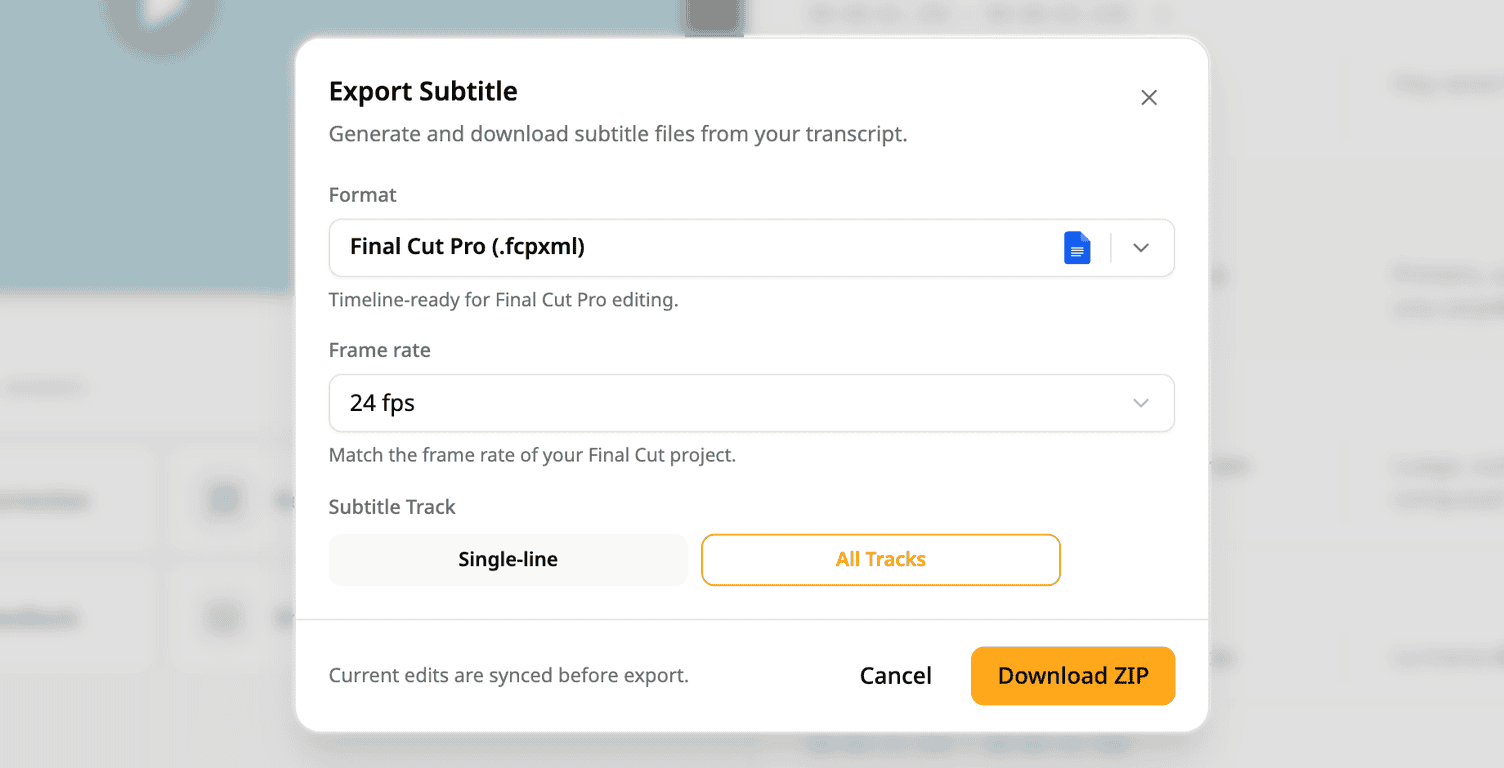
- Pick the frame rate that matches your Final Cut project, from 23.98 to 60 fps.
- Export one track, or pick All Tracks to download every track in one ZIP.
How it works
- Open a project and open the subtitle export.
- Under Format, pick Final Cut Pro (.fcpxml).
- Under Frame rate, pick the frame rate of your Final Cut project.
- Export one track. Or, when the project has two or more tracks, pick All Tracks, then Download ZIP.
To try it: open the subtitle export and pick Final Cut Pro (.fcpxml).
Try Subanana freeNo card required.