
TL;DR
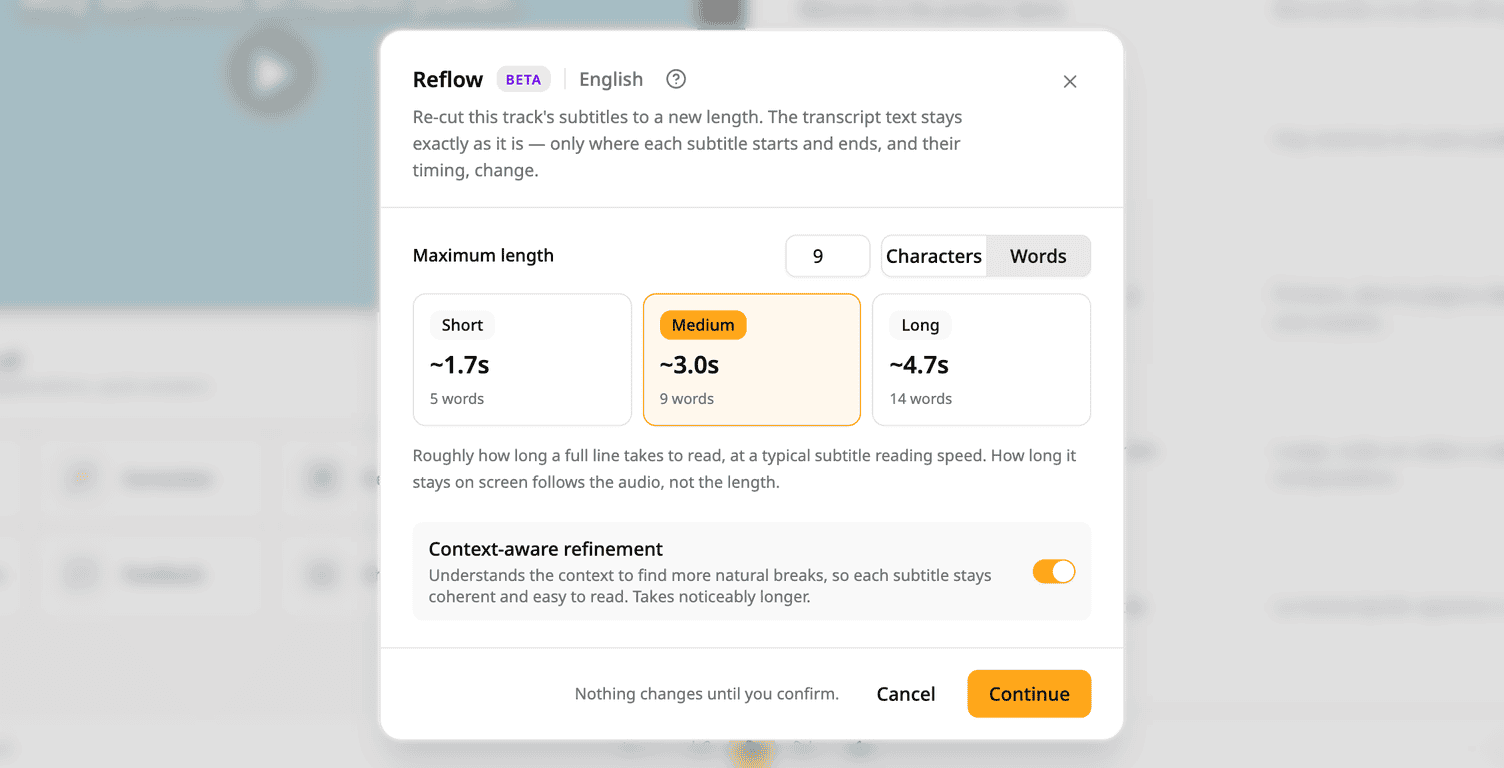
- Reflow (Beta) re-cuts a track's subtitles to a new maximum length.
- The transcript text stays exactly as it is. Only where each subtitle starts and ends, and its timing, change.
- A restore point is saved first, so you can put the previous version back.
How it works
- Open a project and pick Reflow.
- Set the maximum length, counted in characters or in words.
- Check the summary, then confirm. Nothing changes until you confirm.
Good to know
- Reflow replaces the line breaks across the whole track.
- Translation tracks that follow the old line breaks are removed. The summary tells you before you confirm.
To try it: open a project and pick Reflow.
Try Subanana freeNo card required.